

Mobile UI automation for a production Android application using Maestro
Tech Stack:
Maestro · Android · Mobile UI Automation · CI-ready
Project Overview
TrialingAI
Product:
Android Mobile Application
Platform:
QA Automation Engineer
Role:
Mobile UI Automation
Testing Type:
This project involved implementing mobile UI automation using Maestro to validate critical user flows in the TrialingAI Android application, ensuring stability and consistent behavior across releases.
Problem Statement
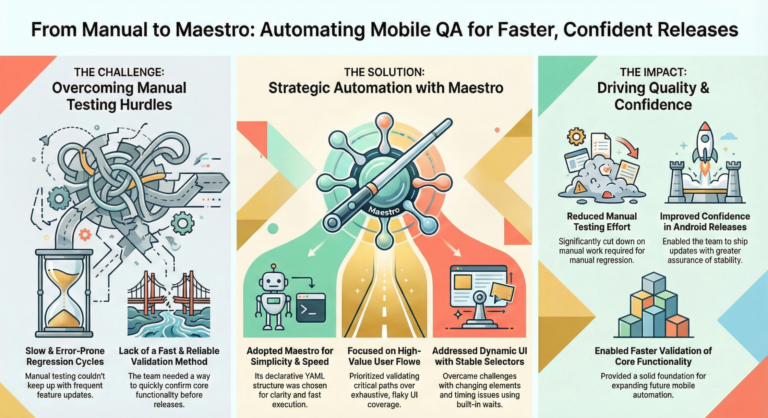
The mobile application relied heavily on manual testing, making regression cycles slow and error-prone. With frequent feature updates, the team needed a fast and reliable way to validate core user flows before release.
QA Strategy & Approach
Chose Maestro for its fast execution, simplicity, and suitability for mobile UI testing
Focused on high-value user flows rather than exhaustive UI coverage
Designed test flows to be readable, reusable, and easy to maintain
Structured tests to support quick feedback during development
Automation Implementation
Automated key mobile flows including:
Used Maestro’s declarative YAML structure for clarity and speed
Organized test flows by feature to support scalability
Challenges & Solutions
Dynamic mobile UI elements:
Used stable selectors and screen-based validations
Timing and transitions:
Applied Maestro’s built-in waits and assertions
Test reliability:
Focused on critical flows to minimize flaky scenarios
Results & Impact
Reduced manual testing effort for mobile regression
Improved confidence in Android releases
Enabled faster validation of core app functionality
Provided a solid foundation for expanding mobile automation coverage
Tools & Technologies Used
Maestro
Android Emulator / Device
YAML-based test flows
Version Control (Git)
Let’s Talk Quality
Have a project, role, or collaboration in mind? I’m open to full-time, contract, and consulting opportunities in QA, test automation, and quality strategy. Feel free to reach out—happy to chat.